|
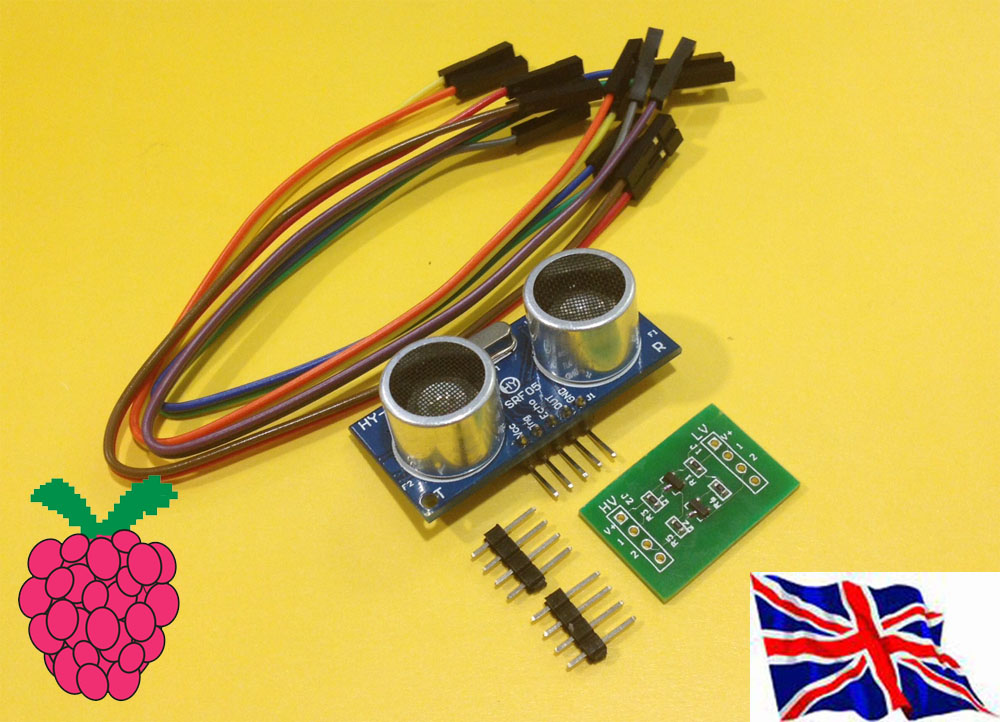
HY-SRF05 Ultrasonic sensor module
with 2 channel Logic Level converter & 8x 20cm male to male cable
SRF05 Ultrasonic sensor SPEC
Ultrasonic sensor module Description :
- Working Voltage : 5V(DC)
- Static current: Less than 2mA.
- Output signal: Electric frequency signal, high level 5V, low level 0V.
- Sensor angle: Not more than 15 degrees.
- Detection distance: 2cm-450cm.
- High precision: Up to 0.2cm
- Input trigger signal: 10us TTL impulse
- Echo signal : output TTL PWL signal
- Mode of connection:
- 1.VCC
- 2.trig(T)
- 3.echo(R)
- 4.OUT
- 5.GND
- Use method:
- Supply module with 5V, the output will be 5V while obstacle in range,
or 0V if not. The out pin of this module is used as a switching output when
anti-theft module, and without the feet when ranging modules.
2 channel Logic Level Converter Description :
The logic level converter is a small PCB which safely allows you to interface devices
which steps down 5V signals to 3.3V signals and step up 3.3V signals to 5V.
The converter has 2, inputs and outputs and can be used with I2C, SPI, UART, etc.
The board needs to be powered via two sources, 5V and 3.3V and your data lines
are linked via pins 1 to 2 on each side so an input on pin 1 will be converted to the
lower or higher output on the adjoining pin 1
ultrasonic sensor & 2 port Logic Level converter demo
2 x DC 5V motor 1x WiFi USB dongle
1x HY-SRF05 Untrasonic sensor module
1x 2 channel Logic Level converter
1 x Raspberry Pi type B- V2 512MB
1x RS-Pi- 4USB hub Board
1x Rs-Pi-L293D-3 Motor Board
|
ultrasonic use Raspberry Pi GPIO 23,24
Vcc +5V GPIO23 for Trig GPIO24 for Echo Out -x GND - GND
Trig, Echo input to 2 channel Logic Level converter ( HV side) ,
THe LV side input to GPIO 23,24 to our board
support our Pi_Scratch software Detail
after broadcast "t28 e29 " & "Update" T28 Trig in GPIO28 E29 Echo in GPIO29
in Sensing --> Slider , you will see the " UltraSonic" in the list
Sonic.py demo
command sudo python Sonic.py 23 24
23 Trigger pin 24 Echo pin ( you can use other GPIO pin)
|